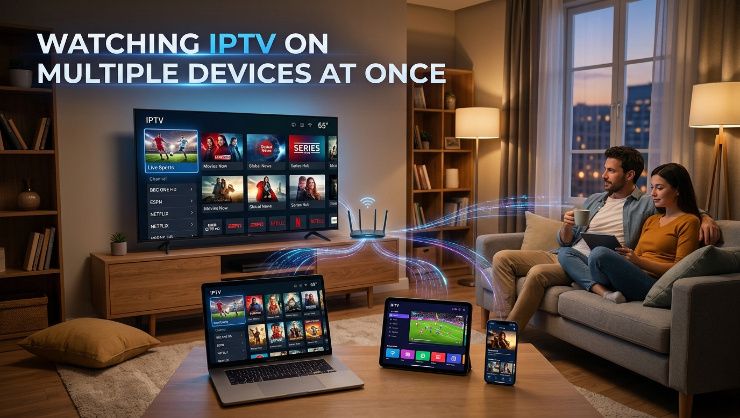
Most households don't watch television on a single screen anymore. Someone's watching the game in the living room while someone else streams a movie in the bedroom, and increasingly there's a phone or tablet involved somewhere too. Getting IPTV to work smoothly across multiple devices simultaneously depends on a few specific factors that are worth understanding before you assume your setup will just work.
Connection Limits Are the First Thing to Check
Every IPTV subscription specifies a number of simultaneous connections allowed, meaning how many devices can stream from the same account at the same time. A single connection plan means only one device can watch at once, even if you're logged in on multiple devices. Trying to stream on a second device while the first is active typically either kicks the first device offline or simply refuses the connection, depending on how the provider's system handles it.
Before assuming you can watch on your TV and your phone at the same time, confirm exactly how many simultaneous connections your specific plan includes. Multi connection plans cost more than single connection ones, but they're necessary if more than one person in your household watches at the same time on different screens.
How Server Capacity Factors Into Multi Device Viewing
Beyond your account's connection limit, the provider's overall server capacity matters too. If you're streaming on two devices simultaneously during a quiet period, the load on the provider's servers is minimal. But if you're doing that during a major live event, when thousands of other subscribers are also streaming multiple devices each, the cumulative demand on the provider's infrastructure increases significantly.
This is why a provider that handles single device streaming fine might still struggle when you specifically try multi device streaming during a high demand period. The connection limit on your plan only tells you what's technically allowed, not what's guaranteed to perform smoothly under load.
Your Home Network Plays a Role Too
Streaming on multiple devices simultaneously requires more total bandwidth than a single stream, and your home internet connection needs to support that combined load. If two devices are each streaming HD content, you need roughly double the bandwidth of a single HD stream, and proportionally more if you're streaming in 4K on either device.
If your internet plan is on the lower end of what's needed for a single stream, adding a second simultaneous stream can cause both to suffer, even if your IPTV provider's servers are handling the load fine on their end. Check your total internet speed against the combined requirements of however many devices you plan to use at once.
WiFi Congestion With Multiple Devices
If multiple devices are streaming over WiFi simultaneously, particularly in a household with several other WiFi connected devices competing for bandwidth, congestion becomes more likely than with a single device streaming alone. Wired ethernet connections for at least your primary streaming device reduce this risk considerably, since it removes that device from WiFi contention entirely.
Testing Multi Device Streaming Before You Need It
Don't wait until a big game to discover whether your multi device setup actually works smoothly. Test it during a quieter period first to confirm your connection limit and home network can handle simultaneous streaming, then test again during an actual high demand event to see whether performance holds up when the provider's servers are also under more pressure.
What to Look for in a Multi Device IPTV Plan
A good multi device plan clearly states the number of simultaneous connections included, supports streaming across the specific device types you actually use, Smart TV, Firestick, phone, tablet, and is backed by server infrastructure capable of handling that multiplied demand during peak periods, not just during quiet testing.
How PrimeTV Handles Multi Device Streaming
PrimeTV offers plans with multiple simultaneous connections included, built on server infrastructure designed to handle that increased demand even during peak viewing periods like live sports broadcasts. The service works consistently across Smart TVs, Firestick, Android devices, and mobile, so switching between or using multiple devices at once doesn't introduce the performance gaps that affect less resourced providers.
Check the available PrimeTV plans to find the connection count that matches your household, and use the free trial to test multi device streaming yourself, including during a live event, before committing.
The Bottom Line
Watching IPTV smoothly across multiple devices at once depends on your plan's connection limit, the provider's overall server capacity, and your home network's bandwidth. Check all three before assuming your setup will work, and test it under real conditions including during peak demand, not just during a quiet trial session.