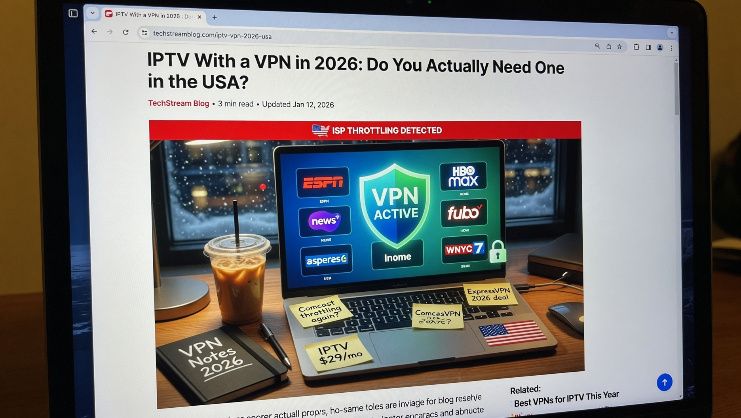
Everyone seems to have an opinion about VPNs. Your tech savvy friend swears by one. Some Reddit thread told you it was absolutely mandatory. And then you watched three YouTube videos that completely contradicted each other. If you're trying to figure out whether you actually need a VPN to use IPTV in the USA, the honest answer is: it depends on what you're doing and why.
Let's get into the real details, because the generic advice floating around online doesn't apply to everyone equally.
What a VPN actually does when you're streaming
A VPN, short for virtual private network, creates an encrypted tunnel between your device and the internet. When you're using one, your internet service provider can't see what you're watching or which services you're connecting to. All they see is encrypted traffic going to a VPN server somewhere. That's the core function, and it's genuinely useful in specific situations.
What it doesn't do is make you invisible. It shifts who can see your activity, from your ISP to your VPN provider. So if privacy is the goal, you're trusting the VPN company instead of your ISP. That's a trade-off worth understanding before you commit to a monthly subscription.
Does IPTV work without a VPN in the USA
Yes. If you're using a legitimate IPTV service with a proper subscription, you don't need a VPN to make it work. The streams load, the channels come through, you watch your content. A VPN adds an extra layer of routing that can actually slow things down if the VPN server is overloaded or far from your location.
Most Americans using a paid IPTV plan never touch a VPN and have zero issues. The connection goes from your router straight to the IPTV servers, which is the most direct and usually the fastest path. Adding a VPN into that chain is like taking the highway but making a detour through a random city first. Sometimes it works fine. Sometimes it adds 20 minutes to your trip for no reason.
When a VPN actually makes sense for IPTV users
There are real scenarios where running a VPN alongside your IPTV subscription makes sense, and they're more specific than the vague "privacy" argument most people repeat.
The first is ISP throttling. Some internet providers in the USA have been caught slowing down streaming traffic specifically. If your streams are consistently buffering during peak hours but your speed test shows fast internet, your ISP might be throttling video traffic. A VPN hides the fact that you're streaming, which can bypass that throttling. It's not a guaranteed fix, but plenty of people have reported noticeably better stream quality after switching one on.
The second is public WiFi. If you're watching IPTV on your phone at a hotel, airport, or coffee shop, a VPN is a good idea for general security reasons that have nothing to do with IPTV specifically. Public networks are easy to snoop on, and encrypting your traffic is just smart practice in those situations.
The third is accessing geo-restricted content. If you want to watch content that's only available in another country, a VPN lets you route your connection through a server in that country and appear to be browsing from there. That's a legitimate use case, though it has nothing to do with whether IPTV itself requires a VPN to function.
The throttling question is bigger than most people realize
Let's spend a bit more time on the throttling issue because it affects more Americans than you'd think. After the net neutrality rollbacks, ISPs in the USA have more legal room to manage traffic as they see fit. A few major providers have acknowledged using traffic management techniques for video streaming.
What this looks like in practice is annoying. You're watching a live game, the score is tied, and suddenly your stream drops from HD to a pixelated mess. Your speed test runs fine. You restart the app and it's fine for a while, then degrades again. That pattern, specifically, is often throttling rather than a server problem on the IPTV side.
If that sounds familiar, running a VPN during your streams is worth testing. Use a reputable paid VPN, not a free one, connect to a server in your city or a nearby state, and see if the quality holds up. If it does, you've found your answer.
Free VPNs are not the move
This gets said a lot but not explained well enough. Free VPNs make money somehow, and the most common way is by logging your browsing data and selling it to advertisers. You're solving a privacy concern by handing your data to a different company with even less accountability than your ISP. That's not a great trade.
Beyond privacy, free VPNs have limited server capacity. When thousands of people use the same free servers, speeds crater. You'll end up with worse streaming quality than you had without any VPN at all. For IPTV where consistent bandwidth matters, a slow VPN actively makes things worse.
If you decide a VPN is right for your situation, pay for one. The good ones run between $3 and $10 a month and the difference in speed and reliability is substantial.
Which devices can run a VPN with IPTV
Almost all of them, though the setup process varies. On a Firestick you can download a VPN app directly from the Amazon App Store. On Android phones and tablets it's the same, just grab the app from the Play Store. iPhones and iPads support VPN apps through the App Store. Smart TVs are the trickiest because not all of them support VPN apps natively.
The cleanest solution for Smart TVs and any device that doesn't have native VPN app support is to set the VPN up directly on your router. When it's running at the router level, every device on your home network is automatically protected without needing individual apps on each one. The setup is more involved but you only do it once.
Will a VPN slow down your IPTV streams
Potentially yes, and it's the main practical trade-off. How much it slows things down depends on three factors: the quality of your VPN service, the server location you connect to, and your base internet speed.
If you have a gigabit connection and connect to a VPN server in your own city, you probably won't notice any difference. If you have a slower connection and route through a server on the other side of the country, you might see buffering that wasn't there before. The encryption overhead alone is minimal on modern hardware, but routing adds latency.
The general rule is to connect to the closest available VPN server to your actual location. The further the data has to travel, the more lag you introduce. Most VPN apps show you the ping time to each server before you connect, so picking the fastest one takes about ten seconds.
What about IPTV apps on a VPN
Apps like IPTV Smarters and TiviMate work the same whether a VPN is running or not. They connect to your IPTV provider's servers using your login credentials, and the VPN just wraps that traffic in encryption. There's no special configuration needed inside the IPTV app itself. You turn on the VPN first, then open the IPTV app, and everything works as normal.
One thing to watch for is the VPN disconnecting mid stream. Some VPNs have a kill switch feature that cuts your internet connection entirely if the VPN drops, which would interrupt your stream. Whether that's desirable depends on your priorities. If privacy is the main concern, a kill switch makes sense. If uninterrupted streaming is the priority, you might want to disable it.
The bottom line for American IPTV users
You don't need a VPN to use IPTV in the USA. A legitimate paid subscription works perfectly well without one, and for most people the streams are faster without the extra routing. That said, if you're dealing with ISP throttling, frequently using public WiFi, or just want an extra layer of privacy on your streaming activity, a good paid VPN is worth the small monthly cost.
Start without one. See how your streams perform. If you run into consistent buffering that doesn't match your internet speed, then it's worth testing a VPN to see if throttling is the issue. Don't pay for something you don't need based on vague advice, but don't dismiss it either if you're actually experiencing problems.
If you want to check out what a full IPTV subscription looks like before worrying about any of this, the plans are straightforward and getting set up takes less than 20 minutes regardless of whether you use a VPN or not.