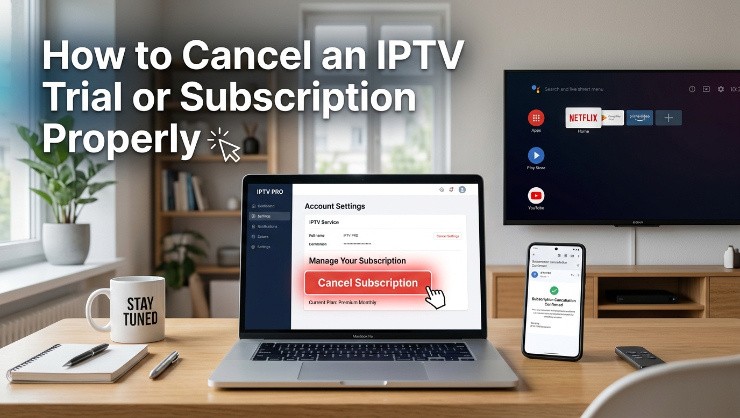
Cancelling an IPTV trial or subscription should be a straightforward process, but the reality with some providers is more complicated than it should be. Understanding what to check before you sign up, and what steps to take when you do want to cancel, helps you avoid the frustration of unexpected charges or a cancellation that doesn't actually take effect.
Why Cancellation Terms Matter Before You Even Subscribe
Before entering payment details for any trial or subscription, check the provider's stated cancellation policy. A legitimate provider makes this information easy to find, typically during signup or in a clearly accessible terms section, rather than requiring you to dig through fine print or contact support just to understand how cancellation works.
If a provider's cancellation terms are vague, hard to find, or only become clear after you've already subscribed, that's worth treating as a warning sign before committing any payment information in the first place.
Cancelling a Free Trial Before It Converts to Paid
Many IPTV trials require card details upfront and automatically convert to a paid subscription unless you cancel before the trial period ends. If you've provided payment information for a trial, mark the exact date the trial converts to paid and set a reminder a day or two before that date to decide whether you're continuing.
To cancel before conversion, check whether the provider requires this through their website account settings, a direct message to support, or some other specific process. Follow whatever method they specify exactly, and keep a record of when you submitted the cancellation request in case there's any dispute later about timing.
Cancelling an Active Paid Subscription
For an active subscription you want to cancel, the process typically involves either an account settings page where you can manage your subscription directly, or a request submitted to customer support. Providers offering real time support through WhatsApp or live chat generally process these requests faster than those relying solely on email tickets.
Confirm you receive some form of acknowledgment that your cancellation request was received and processed, rather than just submitting the request and assuming it went through. If a provider doesn't provide this confirmation, follow up specifically to verify your subscription was actually cancelled.
What to Do If a Provider Continues Charging After Cancellation
If you've properly submitted a cancellation request and confirmed it was received, but charges continue afterward, your card issuer's dispute process becomes the most reliable path to resolution. This is one of the practical advantages of paying through a card with standard consumer protections, since it gives you recourse even if a provider doesn't honour their own cancellation policy properly.
Keep records of your cancellation request, including dates and any confirmation received, since this documentation strengthens your case if you do need to dispute a charge with your card issuer later.
Avoiding Cancellation Problems From the Start
The easiest way to avoid cancellation headaches is choosing providers with clear, accessible cancellation policies from the outset, and being cautious of any provider that makes the cancellation process notably harder to find or complete than the signup process was. A genuine mismatch in friction between signing up and cancelling is often a deliberate design choice worth factoring into your decision before subscribing at all.
Testing Cancellation Ease Isn't Unreasonable
If you're particularly cautious about a new provider, there's nothing wrong with testing how straightforward their cancellation process is even during a free trial period, before you've committed to a longer paid subscription. A provider that makes trial cancellation simple and confirmed gives you reasonable confidence that paid subscription cancellation will work similarly.
How PrimeTV Handles Cancellation
PrimeTV provides clear cancellation terms upfront, with a straightforward process available through WhatsApp support for fast handling. Cancellation requests receive confirmation so you're not left wondering whether the request went through, and the free trial doesn't require the kind of complicated cancellation process that creates problems with some other providers.
Check the available PrimeTV plans and review the terms directly before subscribing, so you know exactly what cancellation looks like if you ever need it.
The Bottom Line
Cancellation should be as straightforward as signing up, and checking a provider's policy before you subscribe is worth the few minutes it takes. If you do need to cancel, follow the provider's specified process exactly, get confirmation, and keep records, and your card issuer's dispute process remains available as a backup if a provider doesn't honour their own stated terms properly.