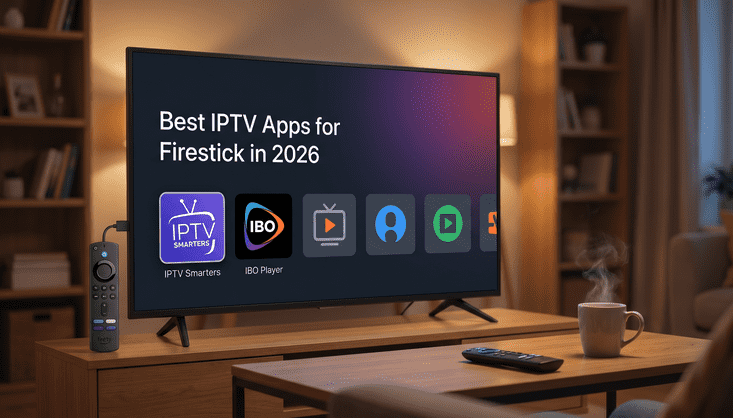
So You Got a Firestick. Now What?
You plugged in your Amazon Firestick, got your IPTV subscription sorted, and now you're staring at the home screen wondering what to do next. The missing piece is the app, the thing that actually takes your subscription and turns it into live TV, sports, movies and everything else. And picking the wrong one can genuinely ruin the experience, even if your IPTV service is excellent.
There are a handful of solid IPTV apps for Firestick that work really well in 2026. Three of them come up again and again: IPTV Smarters, IBO Player and Hot Player. Each one has a slightly different feel, and the best one for you depends on how you like to watch and what features actually matter to you. Let's go through them honestly.
IPTV Smarters Pro: The One Most People Start With
If you've done any research on IPTV apps for Firestick at all, you've already seen IPTV Smarters mentioned a hundred times. There's a reason for that. It's been around long enough to iron out most of its bugs, it supports basically every IPTV format out there, and the interface is clean enough that you won't feel lost five minutes in.
You load it up, enter your IPTV credentials or your M3U playlist link, and you're watching TV. The live channels section is easy to browse, the EPG loads quickly when your provider supports it, and you can set up multiple playlists if you have more than one subscription. The catch up feature works well too if your provider includes it.
On Firestick specifically, IPTV Smarters runs smoothly on the standard Fire TV Stick 4K and the newer models. You will need to sideload it since it's not on the Amazon app store, but that process takes about five minutes. It's one of the most popular IPTV player apps for Firestick users in the USA right now, and honestly it deserves that reputation.
IBO Player: Cleaner, Faster, and a Bit More Modern
IBO Player is the one that tends to win people over once they actually try it. The interface is noticeably cleaner than IPTV Smarters and it feels more polished overall. If you care about how your app looks on a big screen, IBO Player probably wins that category.
Performance is where it really stands out though. Channel switching is fast, the app doesn't lag when you're scrolling through a large channel list, and the EPG display is one of the nicest you'll find across any IPTV app for Firestick right now. It supports M3U playlists and Xtream Codes login, which covers pretty much every IPTV provider setup you'll come across.
Where IBO Player falls short is that it's a little newer, so there's slightly less documentation and community support around it compared to IPTV Smarters. But for 2026, it's become one of the best IPTV apps for Firestick users who want something that just feels smooth and works without fussing.
Hot Player: The Dark Horse Worth Knowing About
Hot Player doesn't get talked about as much as the other two but it absolutely should. It's lightweight, which matters more than people realize on a Firestick because the device doesn't have a ton of processing power. A lighter app means faster load times and less buffering caused by the app itself rather than your connection.
The design is simple, maybe a little too simple if you like a flashy interface, but it gets out of the way and lets you watch TV without clicking through five menus to get to your channel. The video player handles different stream formats well and picture quality comes through cleanly when your internet speed is up to it.
Hot Player is a solid pick if you've tried the other two and found them a bit heavy for your Firestick model, or if you just prefer apps that don't overcomplicate things. It does exactly what it's supposed to do without trying to be fancy about it.
Which One Should You Actually Use?
Here's the short version. If you're completely new to IPTV and you want something with the most community support and tutorials behind it, start with IPTV Smarters. If you want the cleanest interface and the best looking EPG, try IBO Player. If your Firestick is an older model or you just want something lightweight and no nonsense, Hot Player is worth a shot.
All three of them work well with a quality IPTV subscription. The app is just the vehicle. What you're watching through it depends entirely on the provider. A cheap, unreliable IPTV service will buffer and cut out regardless of which app you use. A solid provider with good server infrastructure will stream cleanly on any of these three.
What to Look for in Your IPTV Service Before You Pick an App
There's no point spending twenty minutes finding the perfect IPTV app for Firestick if your actual subscription is letting you down. Before anything else, you want a provider that gives you stable streams without constant buffering, a full US channel lineup, and decent customer support when something goes wrong.
You also want multiple connections included, because if you've got a TV in the living room and someone watching in the bedroom, you need at least two streams running at the same time. Anti freeze technology matters too, especially for live sports where a two second freeze at the wrong moment can ruin everything.
If you're still figuring out which service to go with, check out the Prime TV pricing plans and see what fits your setup. The plans are straightforward and there's no commitment required to get started.
Setting Up Any of These Apps Takes About 10 Minutes
People sometimes assume that sideloading apps on a Firestick is complicated. It really isn't. You enable the option to install apps from unknown sources in your Firestick settings, download the Downloader app from the Amazon app store, use it to install whichever IPTV player you've chosen, and then log in with your subscription details. The whole process takes around ten minutes the first time and about two minutes every time after that.
Once the app is installed and your credentials are in, you're watching TV. That's genuinely how quick it is. The best IPTV apps for Firestick are designed to be straightforward because the people building them know that most users aren't tech people, they just want to watch their channels without a headache.
One Thing People Get Wrong About IPTV Apps
A lot of people blame their IPTV app when they have a bad experience. Buffering, pixelation, channels not loading. Nine times out of ten that's not the app's fault. It's either the internet connection, the IPTV provider's server quality, or the Firestick being overloaded with too many other apps running in the background.
Before you switch apps and go through the setup process again, clear the cache on your current app and restart your router. If the problem continues, it's almost certainly a provider issue rather than an app issue. That's why choosing the right IPTV subscription matters just as much as choosing the right app. Visit the Prime TV app page to see exactly how the setup works and which apps are fully compatible with the service.
The Bottom Line for 2026
IPTV Smarters, IBO Player and Hot Player are all genuinely good apps in 2026 and any one of them will serve you well on a Firestick. The differences between them are mostly about personal preference, interface style and how much processing power your device has available. Try one, give it a week, and if it's not clicking for you, switching to another takes fifteen minutes.
What won't change between apps is the quality of your actual streams. That comes down entirely to your IPTV provider. Get that part right first and the app almost becomes a secondary decision. Take a look at the Prime TV plans and get your subscription sorted, then pick your app and start watching.